


A few months ago, my wife and I expanded our family by adding a dog. And while I’ve already shared some of the expenses we’ve incurred since bringing Rigby home, I wanted to go more into detail about one item we purchased for her: a Fi Smart Collar. This is actually something I had my eye on even before we found the dog for us, as I first saw it advertised on Instagram. So, once we got Rigby and had a chance to confirm her collar size, we placed our Fi order and have been using it ever since.
So what is the Fi Smart Collar and is it worth the cost? Let’s take a look at what it has to offer and what our experience has been so far.
Fi Smart Collar Review

Series 2 vs. Series 3
I should note upfront that, recently, Fi released its Series 3 collar. However, I purchased mine a few months ago, so I have the Series 2 — which is what I’ll mostly be reviewing. Looking at what the differences are, the site says that the latest version is 50% lighter, has 40% more GPS satellites, and has 200% more LTE signal among other improvements. Interestingly, it also seems that the Series 3 can only be purchased with a monthly plan whereas the Series 2 is still available to purchase outright (with the data plan sold separately). Seeing as I just purchased a Series 2, I feel no need to upgrade, but it’s available if you prefer the new model.
Pricing
Currently, the Fi Collar Series 2 has a retail price of $149. However, when I purchased, the site was running a sale that allowed me to purchase it for $70 off (I saw a $100 off sale prior to that but, alas, we didn’t have a dog yet). If there’s not a sale happening, you can save $20 using my referral link.
In addition to the collar itself, you can purchase a data plan. These start at $99 for 1-year — although a 30-day trial is included with your purchase. Because of this, the charge for your plan won’t hit until after you’ve activated your collar and the trial has ended. You can also purchase a Series 2 without a plan, although the functionality will be limited.
For what it’s worth, the Series 3 starts at $19 for a month-to-month plan (with a six-month minimum commitment and a one-time $20 activation fee). Additionally, six-month, one-year, and two-year prepaid plans are also available.
Colors and sizes
For the Series 2 collar, there are currently four color options to choose from:
- Yellow
- Grey
- Blue
- Pink Ombre
We opted for the Pink Ombre, which has a design that slowly transitions from a bright pink to a darker near-purple color. Incidentally, it seems that this is no longer an option for the Series 3 as the company has switched to a solid pink for that collar (Series 2 still has the ombre, though). Also different with the Series 3 color line-up is the option to have the solid color or design side facing out.
The other consideration to make when ordering your collar is a little more important: the size. For the Series 2, there’s a Small, Medium, Large, or Extra Large. Meanwhile, Series 3 adds an Extra Small option and the size ranges are a bit different. For our Frenchton, we ordered a small, which fits well.

The collar and setting up
When our collar arrived, it was easy to get started using it. To begin, we connected the charging base, connected it to WiFi, and placed the collar on it. Then, we could activate the collar using the mobile app to log in with the account we created and confirm the collar’s serial number. After setting up Rigby’s profile, we were good to go.
One thing that surprised me a bit was the collar’s clasp. Looking at the photos online, I anticipated that it would be a metal clasp instead of plastic. However, I suspect that the larger collars may utilize metal — or I’m just looking at the photos wrong. Either way, we haven’t had any issues with the collar coming off and the metal loop that the leash attaches to seems to be strong.
Another feature on the collar worth noting is the LED light. In the app, you not only toggle this light on or off but can also select what color you want it to show. Personally, I wish this light was just a bit brighter (and that the brightness was adjustable), but it’s nice to turn on at night when visibility is low.
Setting safe zones, getting alerts, and adding users
When you’re setting up your Fi collar, you can also create a safe zone, such as your home. This is key as the app will alert you when your dog has exited a set boundary. Moreover, it will give you the (approximate) address of a location where your dog is if an owner is not recognized to be nearby.
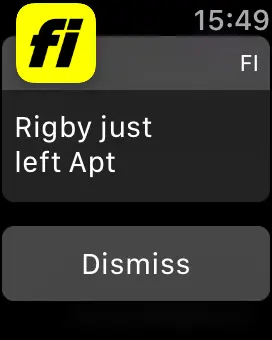
On that note, a cool feature of Fi is the ability to add owners or dog walkers. This is useful as the alerts will tell you who the dog is with when they leave the stated safe zones. We had a chance to try this out when we had a dog sitter on our California trip and it worked quite well — especially since we could rest assured that Rigby was getting the breaks she requires.
Reporting your dog as lost
First off, thankfully, this isn’t a feature I’ve had to use. Thus, I can’t speak to exactly how it works. But, in the app, there’s a Lost button you can tap. According to Fi, when you do this, the dog’s collar will display a pulsing red light and will show you your dog’s location to help you track them down. Again, I haven’t had to use this feature, but it’s definitely nice to know it’s there.
Activity tracking and ranking
Using the Fi app, you can view a bevy of data about your dog’s activity. This includes maps of their walks, a look at their daily step totals, and a breakdown of their sleep, including interruptions. What’s more, you can see how your dog’s numbers compare to other dogs on the app. Among the rankings you can peruse are All Fi Dogs, Fi dogs of the same breed, Fi dogs in your state, and Fi dogs in your city. It seems that, as you visit different cities like we did on our road trip, your dog will be added to those rankings as well. However, you can remove them.
Since I’m sure you asked, Rigby is somehow regularly in the top 5% of all Fi dogs and currently ranks 7th in our city. She was also once in the top 5 for Frenchtons… but Fi has since removed that category, lumping her in with French Bulldogs now. Boo.
Charging and battery

On their site, Fi states that the collar’s battery should last between one and three months depending on how active your dog is. If that’s the case, then Rigby must be very active as we’re definitely seeing the low end of that estimate (note: she wears the collar nearly 24 hours a day). The good news is that we can bring the collar back up to 100% by charging for just a short time — a couple of hours, perhaps. By the way, in addition to monitoring the collar’s battery via the app, Fi will email you when it gets below 20%.
Speaking of the charger, if you unplug it, you’ll get an email letting you know that it’s offline. Apparently this makes a difference to the battery life and receiving timely notifications. I’m sure that’s true to some extent but I wouldn’t worry too much about it as we managed to travel across the country with the base offline and didn’t have any issues.
The social side of the app
Finally, one other thing I want to mention about Fi is the app’s social network-esque elements. In addition to seeing how your dog ranks against other Fi users, you can post photos of your dog, follow other pups, and “like” their activities. We’ve found this aspect of the service to be surprisingly fun, likely because it removed some of the annoying parts of social media and just focuses on cute animals. Sounds pretty cool, right?
Final Thoughts on Fi Smart Collar: Is it Worth it?
So far, we’ve really enjoyed several aspects of our Fi Smart Collar. First, we love how the pink ombre color looks on our cute little black, white, and grey dog. Second, the ability to track her activity and sleep has been helpful to us as first-time pet owners. Plus, when we had a dog sitter, it was nice to get automatic alerts when Rigby was going out for a walk. Admittedly, we’ve also really enjoyed the social network aspect of the app — and it’s prevented us from flooding our personal Instagrams with photos of our pup.
As for whether it’s worth it, though, that’s a bit harder to answer. The $79 we paid for the collar itself was definitely pricey, but not crazy IMHO and the $99 annual cost of data is also reasonable. However, I’d have to say that the collar is largely a luxury. Then again, if your dog were to get lost, then the potential impact the collar could have is priceless. Therefore, it’s really up to individual dog owners to determine whether the costs of Fi make sense for them.