
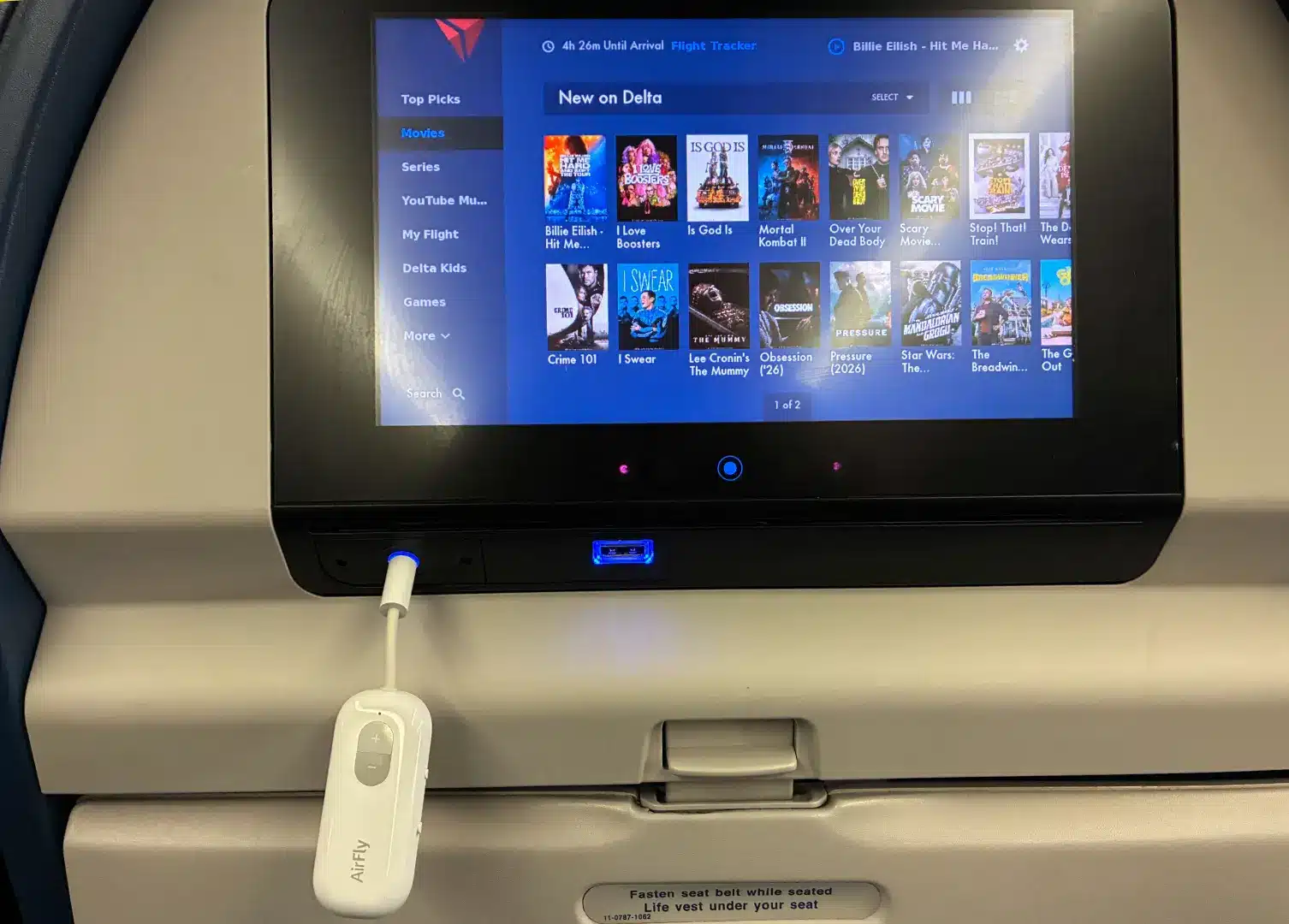


A few months ago, I had a chance to fly on a plane that had only been in service for two months. One of the features of this spanking new craft that caught my attention was the Bluetooth support on the seatback in-flight entertainment system. This means that, rather than using bad-sounding and occasionally painful wired headphones, I was able to use my own AirPods. Unfortunately, after this experience, it was hard for me to go back to my old ways. That’s why I decided to order a product to solve the problem before my next flight: the Twelve South AirFly SE.
So, what is the AirFly SE, how does it work, and did it live up to my expectations? Let’s get into my experience traveling with this handy device.
AirFly SE Review: Connect Your Bluetooth Headphones to the Seatback IFE System
Pricing and Comparison
As of this writing, the AirFly SE model currently sells for $34.97 on Amazon — which is also what I purchased it for. Meanwhile, there are some other options to choose from:
- AirFly Pro
- AirFly Pro 2
- AirFly Pro 2 Deluxe
I won’t go into all of the details of what differentiates these models, but I will hit some highlights and share why I chose the SE. First, while the SE only supports pairing one audio device at a time, other models allow you to connect two pairs of headphones to the AirFly. That could come in handy if you want to watch a movie with a loved one (and could save you the trouble of trying to sync up the same content — something I’ve done several times while flying with my wife).
Another big difference is that other models allow for both Bluetooth transmission and receiving. That may not matter much in the air, but it does mean that other AirFly models may be useful in vehicles that don’t have built-in Bluetooth support, as you can plug the device into the auxiliary jack and stream audio from a phone or other source.
Lastly, it looks as though the Deluxe version of the AirFly Pro 2 includes an adapter for those times when the airline utilizes one of those two-pronged inputs. You might think that these are a relic of the past… but they’re actually often used in business class products (probably so that passengers don’t bother trying to steal the high-end headphones that are provided in premium cabins). So, if you’re fancy, you may need to go that route.
With that in mind, why did I choose the AirFly SE? Well, it was the cheapest! Plus, while I like the idea of connecting multiple devices, I didn’t foresee myself needing that feature anytime soon. So, I elected to give the SE a try first and perhaps upgrade in the future.
Using the AirFly SE: My Experience and Observations
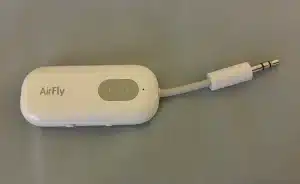
Putting your AirFly device into service is quite easy. First, plug the 3.5 mm jack into the entertainment system’s headphone jack. Then, you can pair your wireless headphones to the AirFly. That’s pretty much it.
Even if the AirFly SE doesn’t look like much, it’s important to remember that it does require power. In other words, you’ll want to make sure you charge it up before your flight using a USB-C cable. Then again, if you do forget, you could use a USB-A to USB-C cable to power it via the IFE itself (at least if the screen is set up like Delta’s). I didn’t actually try this, but I see no reason why it wouldn’t work.
The good news is that, once you do charge your AirFly SE, it should be good for up to 20 hours! In my case, I charged it before my travels, used it for the full duration of my cross-continental flight, then used it for my full flight back (for a total of about 10 hours), and never had any low battery issues.
While packing, I made sure to bring both the quick guide and full manual that came with my AirFly just in case. Well, that proved to be pretty unnecessary, as getting started was simple. After turning on the device and putting my headphones into pairing mode, I was able to sync my AirPods with no issues. Even better, the next time I went to my AirFly, my headphones connected automatically.
One thing I noticed during both of the flights I used the AirFly on was that when there was a PA announcement, the audio in my headphones would be slightly delayed from the speakers, effectively resulting in an echo. Because of this, I found myself getting into the habit of removing my headphones when an announcement was being made. This experience did make me curious to see if there would be any lag with the content. Thankfully, I didn’t have any issues on that front, so if there is any, it’s hardly perceptible.
Finally, I want to mention that, on the first flight that I used my AirFly SE, I looked across the aisle to find that another passenger was doing the same! Clearly, dude knows ball.
Final Thoughts on the Twelve South AirFly SE
Having been spoiled by being able to use my much more comfortable AirPods Pro on a recent flight, I knew I wanted to bring this capability to all of my flights. And while airlines are rolling out Bluetooth support with new planes and seatback entertainment devices, it could be many years before these become the majority standard. That’s why I think that the AirFly devices are a great travel tool to use in the meantime,
With that in mind, which model you choose will depend on a few factors. In my case, I truly just wanted the device to meet my singular need of using my Bluetooth earbuds to watch content on the seatback screen. So, the cheaper AirFly SE model made sense for me. But if you want more opportunities to use your device or plan on connecting multiple sets of headphones to one device, then it may be worth paying for an upgraded AirFly model.
All in all, if you’ve found yourself wishing that you could use wireless headphones for your in-flight entertainment system and plan on flying at least a few times in the coming years, I think that the AirFly SE is well worth the $35 cost.